
来源:https://zhuanlan.zhihu.com/p/555984712
Pose Warping是UE5新出的动画相关插件,用于利用更少的动画资产改善基础移动效果,插件的核心是三个结点,即Orientation Warping,Stride Warping以及Slope Warping,下面分别对这三个动画修改节点做应用与原理介绍。以下介绍的UE版本是5.0.3,5.1可能会改动,但核心应该不变。
Orientation Warping
1 作用
通过旋转部分骨骼修饰动作游戏中的锁定状态移动或者射击游戏中基础的八向移动,先看表现:
默认有一个向前跑步的动画:
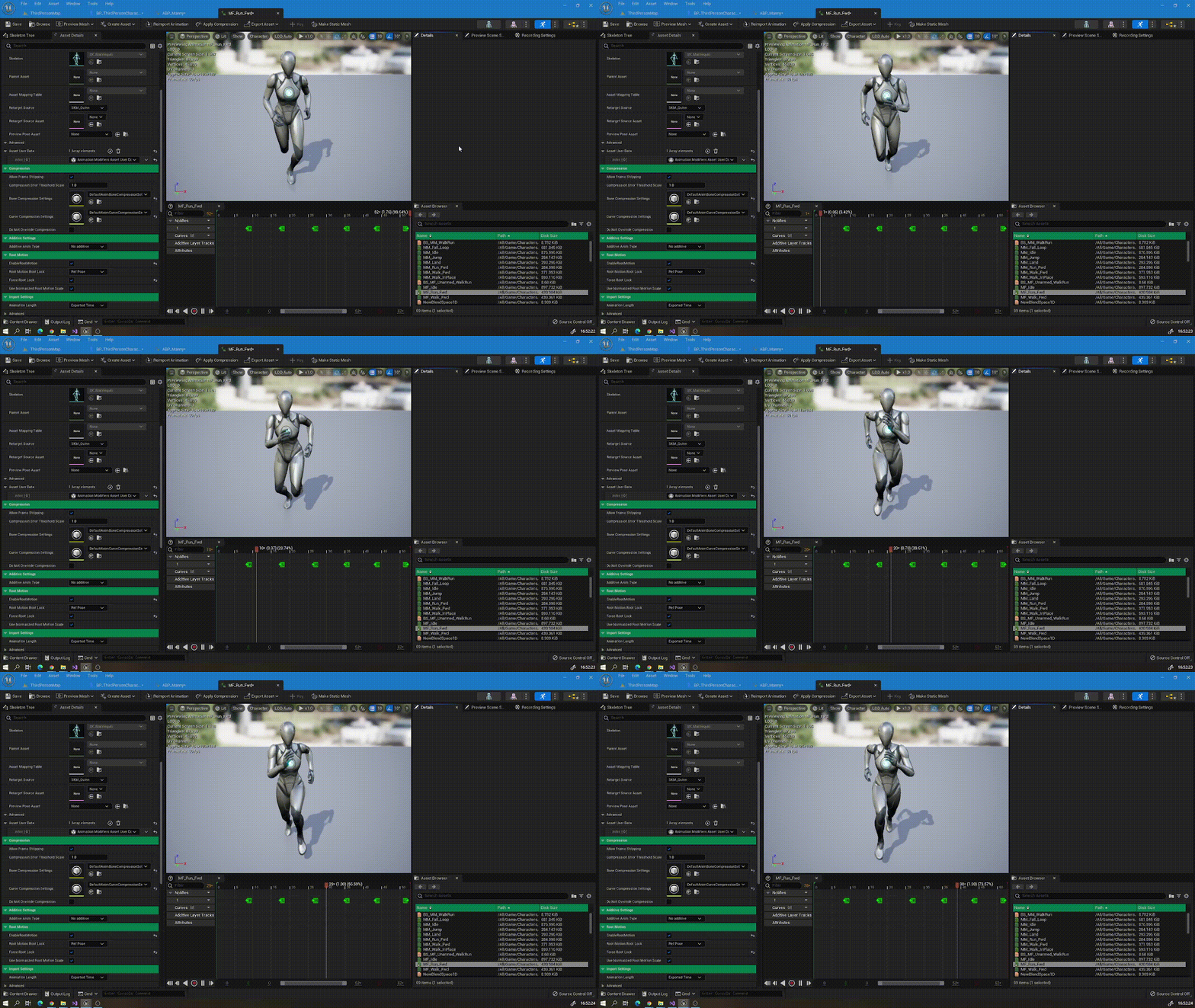
当我们应用Orientation Warping节点后可以做到:
Graph模式:
Manual模式:
Manual模式比Graph模式更僵硬没有插值,传入的变量是相同的,只是变量名字不同,一般使用graph模式,需要的计算多一点,其他区别下面介绍。
只通过一个动画实现的效果意外的出色,可以节省较多转身资产。
2 应用
使用骨骼为官方小白人
想要使用Orientation Warping的Graph模式,切记应用的动画资产需要勾选enable root motion,很多网上的教程都不会说,然后你跟着做发现Orientation Warping不起作用,原因大概就是因为这个选项,下面讲原理的时候会进行说明解释原因,然后Manual模式不需要。
Graph和Manual的参数几乎是一样的,两者接受的Angle传入相同的即可
说一下其他的重要参数

传入的骨骼

Location Angle Delta Threshold:防止角色错误地过度旋转,变化过快时出问题
Spine Bones:需要旋转的脊柱骨骼,将旋转值分担到每根骨骼上
IK Foot Bones:脚步ik骨骼,同样用于分担旋转值,通过Distributed Bone Orientation Alpha和Spine Bones划分界限
Rotation Axis:旋转轴,一般就是z
Distributed Bone Orientation Alpha:Spine Bones旋转的程度,如旋转90度,当值为1时Spine Bones一共旋转90度,当值为0时,旋转0度,0.5时旋转45度,作用相当于Alpha插值但又不完全一样,官方介绍就挺不好理解的,不过实际上他还有别的效果,涉及到填入的ikfootbone,接下来看代码分析
计算角度:

3 源码分析
先说思路:
1 先将根骨骼(root bone)旋转对应的角度(注意不是spine bone)
2 根据权重将Spine Bones分别往回转对应的角度
看视频就好理解了:
这里开始思考问题:
1 Spine Bones的顺序重要吗?
答案是不重要,在初始化的时候,会先对Spine Bones进行排序,父骨骼的index比子骨骼的小,以此作为排序标准,然后通过父子关系确定每一根骨骼的旋转权重,权重大的分担的旋转要多一些,默认会平均分配,比如传入5根骨骼,每根占权重0.2。
代码如下:
    if (SpineBoneDataArray.Num() > 0)
    {
        // 先排序
        SpineBoneDataArray.Sort(FOrientationWarpingSpineBoneData::FCompareBoneIndex());

        // 计算权重
        TArray<int32, TInlineAllocator<20>> IndicesToUpdate;

        for (int32 Index = SpineBoneDataArray.Num() - 1; Index >= 0; Index--)
        {
            // If this bone's weight hasn't been updated, scan his parents.
            // If parents have weight, we add it to 'ExistingWeight'.
            // split (1.f - 'ExistingWeight') between all members of the chain that have no weight yet.
            if (SpineBoneDataArray[Index].Weight == 0.f)
            {
                IndicesToUpdate.Reset(SpineBoneDataArray.Num());
                float ExistingWeight = 0.f;
                IndicesToUpdate.Add(Index);

                const FCompactPoseBoneIndex CompactBoneIndex = SpineBoneDataArray[Index].BoneIndex;
                for (int32 ParentIndex = Index - 1; ParentIndex >= 0; ParentIndex--)
                {
                    if (RequiredBones.BoneIsChildOf(CompactBoneIndex, SpineBoneDataArray[ParentIndex].BoneIndex))
                    {
                        if (SpineBoneDataArray[ParentIndex].Weight > 0.f)
                        {
                            ExistingWeight += SpineBoneDataArray[ParentIndex].Weight;
                        }
                        else
                        {
                            IndicesToUpdate.Add(ParentIndex);
                        }
                    }
                }

                check(IndicesToUpdate.Num() > 0);
                const float WeightToShare = 1.f - ExistingWeight;
                const float IndividualWeight = WeightToShare / float(IndicesToUpdate.Num());

                for (int32 UpdateListIndex = 0; UpdateListIndex < IndicesToUpdate.Num(); UpdateListIndex++)
                {
                    SpineBoneDataArray[IndicesToUpdate[UpdateListIndex]].Weight = IndividualWeight;
                }
            }
        }
    }
1 传入的ik_foot_bone是干什么的
上述说过Distributed Bone Orientation Alpha的作用相当于线性插值,当值小于1时,(1-Distributed Bone Orientation Alpha)*旋转角度 的部分的作用就是旋转ik骨骼,这个具体有什么用呢,我个人没有找到明确的答案,他可能只是为了旋转ikfootbone然后获取之后再做一些其他的事,不过对核心的骨骼旋转貌似没什么帮助,也可以忽略,Distributed Bone Orientation Alpha这个值一般就是1。
那么接下来看源码:
类文件名字:
Engine\Plugins\Animation\AnimationWarping\Source\Runtime\Public\BoneControllers\AnimNode_OrientationWarping.h
核心函数:
virtual void EvaluateSkeletalControl_AnyThread(FComponentSpacePoseContext& Output, TArray<FBoneTransform>& OutBoneTransforms) override;旋转根骨骼
// Rotate Root Bone first, as that cheaply rotates the whole pose with one transformation.
    if (!FMath::IsNearlyZero(DistributedBoneOrientationAlpha, KINDA_SMALL_NUMBER))
    {
        const FQuat RootRotation = FQuat(RotationAxisVector, ActualOrientationAngle * DistributedBoneOrientationAlpha);
        const FCompactPoseBoneIndex RootBoneIndex(0);

        FTransform RootBoneTransform(Output.Pose.GetComponentSpaceTransform(RootBoneIndex));
        RootBoneTransform.SetRotation(RootRotation * RootBoneTransform.GetRotation());
        RootBoneTransform.NormalizeRotation();
        Output.Pose.SetComponentSpaceTransform(RootBoneIndex, RootBoneTransform);
    }
根据权重旋转每一根spinebone
// Spine bones counter rotate body orientation evenly across all bones.
        for (int32 ArrayIndex = 0; ArrayIndex < NumSpineBones; ArrayIndex++)
        {
            const FOrientationWarpingSpineBoneData& BoneData = SpineBoneDataArray[ArrayIndex];
            const FQuat SpineBoneCounterRotation = FQuat(RotationAxisVector, -ActualOrientationAngle * DistributedBoneOrientationAlpha * BoneData.Weight);
            check(BoneData.Weight > 0.f);

            FTransform SpineBoneTransform(Output.Pose.GetComponentSpaceTransform(BoneData.BoneIndex));
            SpineBoneTransform.SetRotation((SpineBoneCounterRotation * SpineBoneTransform.GetRotation()));
            SpineBoneTransform.NormalizeRotation();
            Output.Pose.SetComponentSpaceTransform(BoneData.BoneIndex, SpineBoneTransform);
        }
旋转ikfootbone

    const float IKFootRootOrientationAlpha = 1.f - DistributedBoneOrientationAlpha;
    const bool bUpdateIKFootRoot = (IKFootData.IKFootRootBoneIndex != FCompactPoseBoneIndex(INDEX_NONE)) && !FMath::IsNearlyZero(IKFootRootOrientationAlpha, KINDA_SMALL_NUMBER);

    // Rotate IK Foot Root
    if (bUpdateIKFootRoot)
    {
        const FQuat BoneRotation = FQuat(RotationAxisVector, ActualOrientationAngle * IKFootRootOrientationAlpha);

        FTransform IKFootRootTransform(Output.Pose.GetComponentSpaceTransform(IKFootData.IKFootRootBoneIndex));
        IKFootRootTransform.SetRotation(BoneRotation * IKFootRootTransform.GetRotation());
        IKFootRootTransform.NormalizeRotation();
        Output.Pose.SetComponentSpaceTransform(IKFootData.IKFootRootBoneIndex, IKFootRootTransform);

        // IK Feet
        // These match the root orientation, so don't rotate them. Just preserve root rotation.
        // We need to update their translation though, since we rotated their parent (the IK Foot Root bone).
        const int32 NumIKFootBones = IKFootData.IKFootBoneIndexArray.Num();
        const bool bUpdateIKFootBones = bUpdateIKFootRoot && (NumIKFootBones > 0);

        if (bUpdateIKFootBones)
        {
            const FQuat IKFootRotation = FQuat(RotationAxisVector, -ActualOrientationAngle * IKFootRootOrientationAlpha);

            for (int32 ArrayIndex = 0; ArrayIndex < NumIKFootBones; ArrayIndex++)
            {
                const FCompactPoseBoneIndex& IKFootBoneIndex = IKFootData.IKFootBoneIndexArray[ArrayIndex];

                FTransform IKFootBoneTransform(Output.Pose.GetComponentSpaceTransform(IKFootBoneIndex));
                IKFootBoneTransform.SetRotation(IKFootRotation * IKFootBoneTransform.GetRotation());
                IKFootBoneTransform.NormalizeRotation();
                Output.Pose.SetComponentSpaceTransform(IKFootBoneIndex, IKFootBoneTransform);
            }
        }
    }
Stride Warping
1 作用
对通过移动速度修改腿部的迈步幅度优化动画表现,避免修改Playrate
一般的传统做法是将一个动画从走到跑几个动画用blend space进行融合,通过速度驱动动画表现,有了Stride Warping,在一定条件下可以取消使用多个动画资产达到类似的效果。
传统做法如下:将这三个动画进行混合,通过速度决定播放哪一个
使用Stride Warping的话就需要一个跑的动画,直接修改跑的动作
效果肯定比多个动画混合的差,但用一个动画做到这种程度也有很多值得学习的地方,接下来看我怎么实现的
2 应用
想要使用Stride Warping的Graph模式,应用的动画资产需要勾选enable root motion,Manual模式不需要,和Orientation Warping同理。

接下来就是从输出动画处添加Stride Warping节点,默认的是下面这个

使用Stride Warping有两种模式,第一种就是上图显示的,另一个是下面这种

默认开放一个速度参数,这也是个人推荐使用的模式,因为移动速度这个参数很好理解,使用更方便。需要顺便说一句的是,这两种模式用到的函数是同一个,因此效果是相同的,但需要使用不同参数设置,例如,按照上面的两个截图传入参数就可以获得相同结果。
3 参数介绍:
这里先对大概参数做初步了解,然后对比下面的原理分析就能明白什么意思了。两种模式,Graph和Manual,用到的核心算法是一样的,只不过提供了不同输入参数。
-
先说Graph模式参数:
首先是节点:

参数可以在节点面板选择要不要开放出来,详细的是这些(使用的骨骼是标准虚幻小白人骨骼):


PelvisAdjustmentMaxIter 解算迭代次数,当值大于0时,解算时间复杂度是O(n2),迭代次数多pelvis的位置会更准确,但一般不需要太多,迭代次数多,精度提升也不大。
PelvisAdjustmentErrorTolerance pelvis 位置容差,小于此值停止迭代
PelvisAdjustmentMaxDistance Pelvis迭代前位置和迭代后位置距离差,最大不能超过PelvisAdjustmentMaxDistance
PelvisAdjustmentInterpAlpha pelvis位置改变平滑插值的变量,作用不大,默认就行
SpringStiffness和DampingConstant都是样条插值相关参数,做插值计算的,默认就行
-
Manual模式参数:

比Graph更改了传入参数,
Stride Scale很好理解,就是脚步迈开程度,1是动画正常的
Stride Direction是人物的正前方,打开debug中的pelvis adjustment,红色箭头朝正前方就设置对了
4 源码分析
先说一下整个流程,再看源码就简单多了
已知指定的大腿,盆骨,脚的骨骼数据,主要是位置信息,已知动画根运动的移动距离和速度相关信息(必须有根运动数据)
通过移动速度(传入的值)计算腿部实际应该张开的角度是多大,基准是实际运动的速度比上根运动是速度,当比值为1时,正好是动画原始腿部张开的角度,此时动画未作修改,当比值大于1,意味着实际速度比根运动速度快,腿部迈开角度需要变大,当比值小于1,意味着实际速度比根运动速度慢,腿部迈开角度需要变小。
获取速度比值后通过脚位置,大腿位置,地面法线和重力方向这几个数据计算投影和实际应该修改的脚的落点
修正盆骨(pelves)的位置,用到了解算器的参数
修正大腿的旋转,通过传入参数限制脚步实际位置,这些都是完善效果的
记录最终修改的数据并传出,包括脚的位置,大腿的旋转,根据双脚调整的盆骨的位置

画的难看,解释下意义:
G是重力方向,F是地面法线,StrideWarpingPlaneOrigin是thigh在foot和F法线组成的平面上沿着重力方向的投影点,ScaleOrigin是foot在点StrideWarpingPlaneOrigin和实际移动方向组成的平面的投影点,当速度为0时,foot的位置就应该是ScaleOrigin。
类的位置:Engine\Plugins\Animation\AnimationWarping\Source\Runtime\Public\BoneControllers\AnimNode_OrientationWarping.h
核心代码在这个函数中
virtual void EvaluateSkeletalControl_AnyThread(FComponentSpacePoseContext& Output, TArray<FBoneTransform>& OutBoneTransforms) override;核心代码及注释:
根据上述过程计算foot的偏移
for (auto& Foot : FootData)
    {
        // 原始位置
        const FVector IKFootLocation = Foot.IKFootBoneTransform.GetLocation();
        const FVector ThighBoneLocation = Output.Pose.GetComponentSpaceTransform(Foot.ThighBoneIndex).GetLocation();

        // Project Thigh Bone Location on plane made of FootIKLocation and FloorPlaneNormal, along Gravity Dir.
        //StrideWarpingPlaneOrigin是thigh在foot和F法线组成的平面上沿着重力方向的投影点
        const FVector StrideWarpingPlaneOrigin = (FMath::Abs(ResolvedGravityDirection | ResolvedFloorNormal) > DELTA) ? FMath::LinePlaneIntersection(ThighBoneLocation, ThighBoneLocation + ResolvedGravityDirection, IKFootLocation, ResolvedFloorNormal) : IKFootLocation;

        // ScaleOrigin是foot在点StrideWarpingPlaneOrigin和实际移动方向组成的平面的投影点,当速度为0时,foot的位置就应该是ScaleOrigin。
        const FVector ScaleOrigin = FVector::PointPlaneProject(IKFootLocation, StrideWarpingPlaneOrigin, ActualStrideDirection);

        // 缩放ikfootbone位置
        const FVector WarpedLocation = ScaleOrigin + (IKFootLocation - ScaleOrigin) * ActualStrideScale;
        Foot.IKFootBoneTransform.SetLocation(WarpedLocation);

    }
根据计算的foot位置解算pelvis位置

对于结算Pelvis的原理如下:

当迈开的脚步越小,foot距离pelvis的距离越近,即d1和d2越小,而现实中当我们迈大步的时候,pelvis的位置肯定是下降的,迈小步则升高,因此需要根据foot到pelvis的距离来更新pelvis的位置,保证foot到pelvis的距离几乎不变。
核心代码及注释:
    FTransform FIKFootPelvisPullDownSolver::Solve(FTransform PelvisTransform, TArrayView<const float> FKFootDistancesToPelvis, TArrayView<const FVector> IKFootLocations, float DeltaTime)
{
    const FVector InitialPelvisLocation = PelvisTransform.GetLocation();

    const int32 IKFootLocationsCount = IKFootLocations.Num();
    const int32 FKFootDistancesCount = FKFootDistancesToPelvis.Num();

    FVector AdjustedPelvisLocation = InitialPelvisLocation;
    FVector DeltaAdjustment = FVector::ZeroVector;
        //每一只脚的权重。两条腿就是0.5
    const float PerFootWeight = 1.f / static_cast<float>(IKFootLocationsCount);
    const float AdjustmentDistMaxSquared = FMath::Pow(PelvisAdjustmentMaxDistance, 2.f);

    // PelvisAdjustmentMaxIter参数为迭代次数,在参数中限制
    for (int32 Iter = 0; Iter < PelvisAdjustmentMaxIter; ++Iter)
    {
        const FVector PreAdjustmentLocation = AdjustedPelvisLocation;
        AdjustedPelvisLocation = FVector::ZeroVector;

        // 循环遍历两条腿,AdjustedPelvisLocation 是foot的位置加上(pelvis-foot)*d*权重
        for (int32 Index = 0; Index < IKFootLocationsCount; ++Index)
        {
            const FVector IdealLocation = IKFootLocations[Index] + (PreAdjustmentLocation - IKFootLocations[Index]).GetSafeNormal() * FKFootDistancesToPelvis[Index];
            AdjustedPelvisLocation += (IdealLocation * PerFootWeight);
        }

        const FVector PrevDeltaAdjustment = DeltaAdjustment;
        DeltaAdjustment = AdjustedPelvisLocation - InitialPelvisLocation;
               //之前的pelvis位置和迭代后解算的位置插值
        const float DeltaAdjustmentDist = FVector::Dist(PrevDeltaAdjustment, DeltaAdjustment);

        // PelvisAdjustmentErrorTolerance参数
        if (DeltaAdjustmentDist <= PelvisAdjustmentErrorTolerance)
        {
            break;
        }
    }

    // 通过参数PelvisAdjustmentMaxDistance限制最大拉伸范围
    if (FVector::DistSquared(AdjustedPelvisLocation, InitialPelvisLocation) >= AdjustmentDistMaxSquared)
    {
        DeltaAdjustment = AdjustedPelvisLocation - InitialPelvisLocation;
        AdjustedPelvisLocation = InitialPelvisLocation + DeltaAdjustment.GetSafeNormal() * PelvisAdjustmentMaxDistance;
    }

    PelvisTransform.SetLocation(AdjustedPelvisLocation);
    return PelvisTransform;
}
Slope Warping
1 作用
Slope Warping 有助于使脚的位置与地板法线相匹配,从而在斜坡和楼梯上创建更平滑的运动动画过渡。需要注意的是此节点是开发版本(5.0.3)
本质上看起来就像是脚部IK
平面:

斜面:

打开debug看信息就会明白很多:

红色球球是骨骼原始位置(不纠正的)
绿色球球是粗略纠正的位置
蓝色球球是最终加入各种限制后的位置
同时还会显示各种法线,偏移等信息
2 应用
参数配置:比较重要的都圈起来了

首先就是这个节点是测试阶段,不能用于正式项目
然后重要的参数我都圈起来了,其他多数都不用改,大部分都是限制条件
注意的是:
1 ik foot bone需要填入实际的骨骼,而不是小白人的ikfootbone骨骼,源码修改的就是这个,fkfootbone反而不重要
2 bKeepMeshInsideOfCapsule的作用是限制脚别出了角色的胶囊体,这个不要勾选,会限制脚的位置。
其他的没了,基本都不用动
3 源码分析
其实源码处理还蛮细的,核心过程就是
计算地面法线,偏移等信息
粗略计算ikfootbone位置(绿色球)
加入限制计算最终脚部位置
完了
源码我就不打算讲解了,因为很多而且都是比较简单容易理解的代码,过程就是上面的过程,其中包含一些结算pelvis的代码,很像ik,所以使用的时候可以看作ik使用。限制是在某些情况下会出漏洞,如下:

总结
注意事项:上述pose warping提供的三大功能,不管是哪个都只是对在对应领域中的动画表现做优化,如果想仅仅使用这三个节点就代替更复杂,效果更好的动画资产是行不通的,但我们可以减少使用对应的动画资产来达到使用较多动画资产类似的效果,具体效果如何也要根据不同动作进行区分,有些移动会在应用之后特别怪,反而还不如别用的好。所以效果如何还要根据具体动作具体分析。