
内容纲要
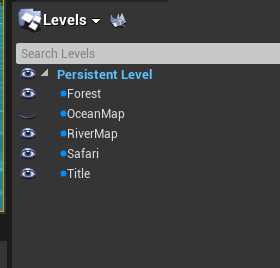
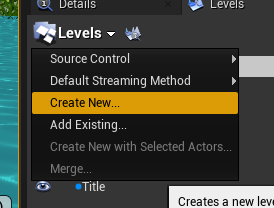
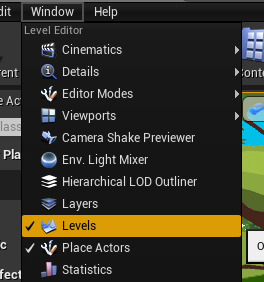
1. Level Streaming配置
1.1 可以在Level中,配置多个Sub Level
2. 加载Level Streaming
2.1 可以直接加载,或者动态使用蓝图节点Load Stream Level来加载
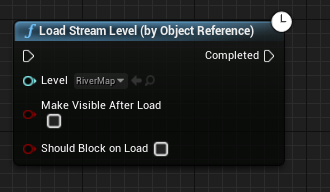
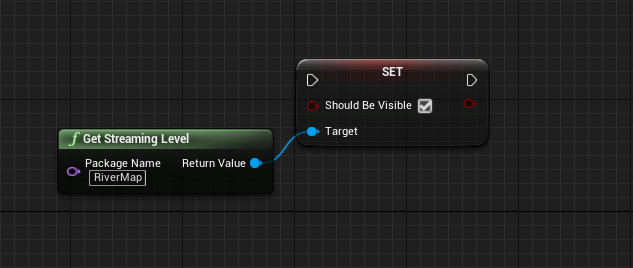
2.2 获取Level
3. 修改Level上的所有Actor的坐标
ULevel::ApplyWorldOffset(const FVector& InWorldOffset, bool bWorldShift);
4. 参考资料
https://forums.unrealengine.com/t/how-to-load-level-additive/352005/3
6. 友情链接
blog: https://www.cgsgood.tech/ue_levelstreaming
语雀: https://www.yuque.com/cgsgood/dshx0b/bf9ddkugluw59t57
博客园: https://www.cnblogs.com/cgsgood/p/17074860.html